Grouped, categorized checklists
Organize items under as many named groups as you need — rooms, days, categories or people — instead of one long undifferentiated list.
Free Checklist Maker
This checklist maker lets you build a to-do list, packing list or cleaning checklist with drag-and-drop reordering, custom checkbox styles and ready-made templates. 100% free, no sign-up, and everything saves right in your browser.
No account, no watermark — this checklist maker autosaves locally, so nothing you type is ever uploaded.
Everything updates as you type and autosaves locally in this checklist maker. Start from a template or build your checklist from scratch.
Columns only change how groups are arranged when you print, download a PDF, or export a PNG.
Your checklist is built and saved entirely in your browser — nothing is ever uploaded to a server.
Free personalized travel checklist
Build a packing list printable for a general trip, camping, beach vacation, business travel or travel with kids. Set days, weather and travelers, then edit quantities, carry-on or checked-bag placement and notes.
Create my packing listFree editable cleaning planner
Create a cleaning checklist printable with daily, weekly, monthly, deep-cleaning and move-out presets. Edit every task, frequency, assignee, room, order and note before you print.
Make my cleaning checklistMost printable checklist templates are a single flat list. This checklist maker groups, reorders and exports the way you actually plan.
Most "printable checklist" results online are a single static list you can only cross out with a pen. This checklist maker lets you group items under headings, drag to reorder both items and groups, and rename anything inline — so the tool matches how you actually plan, not the other way around.
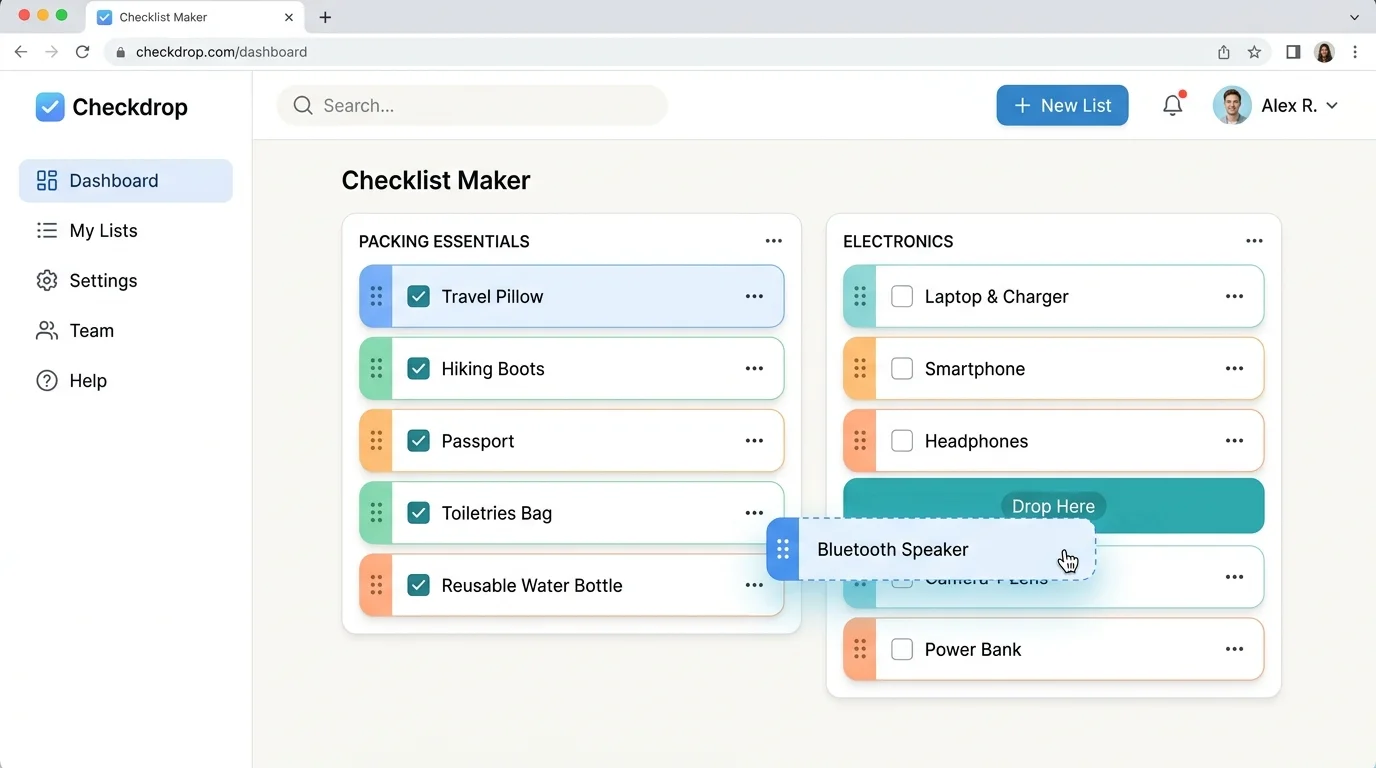
Packing, groceries, cleaning, moving, or a daily to-do list — pick a ready-made template and every group and item loads instantly. Add, remove or rename anything, and your changes autosave to this browser so the list is exactly as you left it next time you open the page.
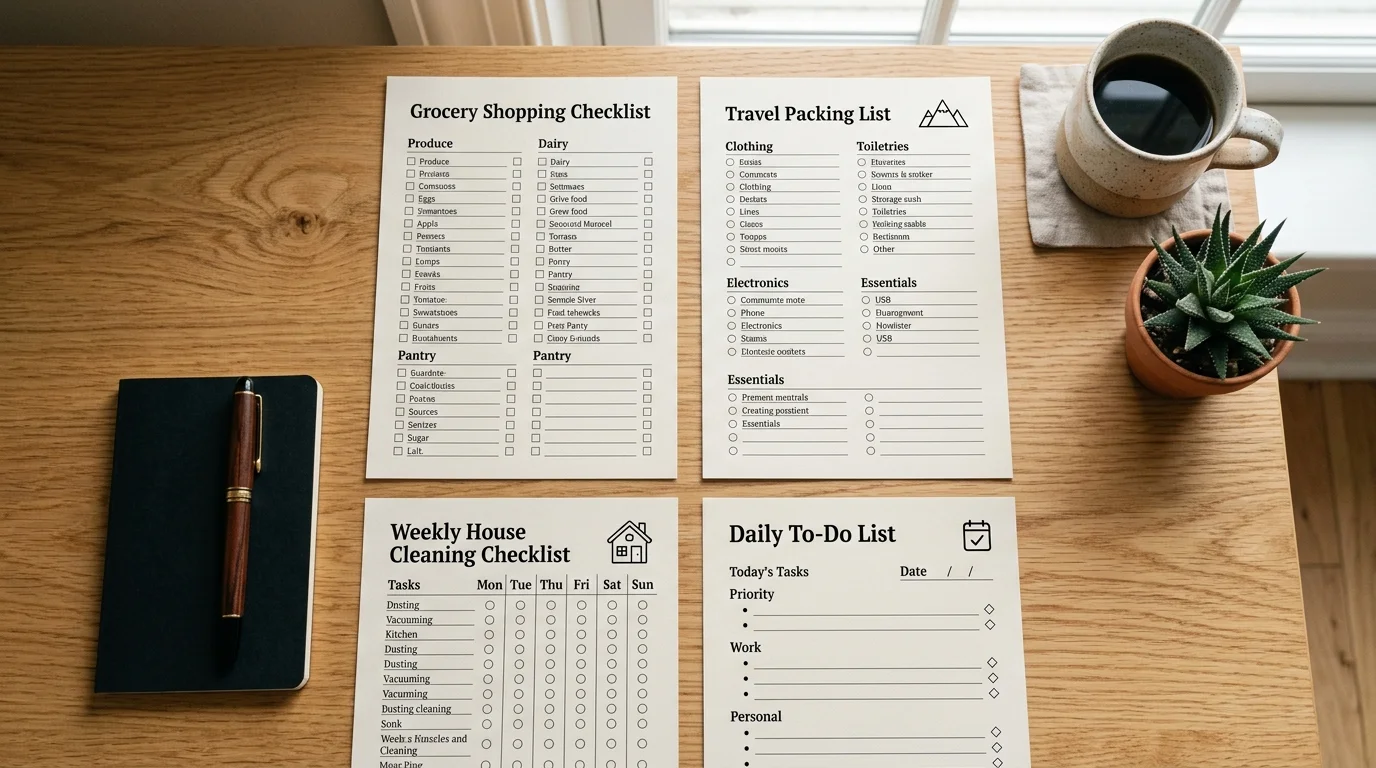
Every feature exists because a real packing list, chore chart or shopping trip needed it.
Organize items under as many named groups as you need — rooms, days, categories or people — instead of one long undifferentiated list.
Reorder items within a group, move items between groups, or reorder whole groups by dragging — or use the up/down buttons for keyboard- and touch-friendly sorting.
Choose square, circle or diamond checkboxes so your printed checklist matches the look you want, from a classic form to a softer planner style.
Download a print-ready PDF, save a shareable PNG image, or export a CSV to open in a spreadsheet — pick whichever format fits what you're doing next.
Your checklist is saved automatically to this browser as you type. Close the tab and come back later — this checklist maker keeps everything exactly where you left it, with no sign-up.
Daily to-do, grocery shopping, travel packing, cleaning and moving templates give you a running start, fully editable from the first click.
Four simple steps to build, organize and export a checklist that fits how you plan.
Choose a packing, grocery, cleaning, moving or daily to-do template to load ready-made groups and items, or start from a single blank group and build your own structure.
Name your groups, then type each item and press Enter to add the next one automatically. Add a short note under any item for extra detail.
Groups and items can be renamed or deleted at any time.
Drag items or whole groups into the order that matches how you work, and tap the checkbox as you complete each one — checked items get a strikethrough automatically.
Use the up/down arrows next to each row if you'd rather not drag.
Download a print-ready PDF, save a PNG to share, export a CSV for a spreadsheet, or print directly from your browser — choose your paper size and orientation first.
Export my checklistCommon questions about pricing, privacy, formats and printing.
Yes, completely free. There's no account, no email wall, and no limit on how many checklists, groups or items you create.
No. Open the page and start typing — every group, item and setting in this checklist maker is ready immediately, with no login required.
Yes. Everything autosaves to your browser's local storage as you type, so closing the tab or restarting your browser won't lose your work. It only lives on this device, though, so it won't follow you to a different browser or computer.
Yes — that's the core idea behind this checklist maker. Add as many named groups as you need (rooms, days, people, categories) and each one holds its own set of checklist items.
Yes. Drag any item's handle to reorder it within a group or move it into a different group, and drag a group's handle to reorder whole sections. Up and down arrow buttons do the same thing if you'd rather not drag.
Yes, all three. PDF and PNG are print-ready images of your checklist with your chosen checkbox style and column layout; CSV exports the raw group, item, note and checked data for a spreadsheet.
A checklist is typically a repeatable, grouped set of items for a recurring process — packing, cleaning, onboarding — while a to-do list is usually a simpler, one-off set of tasks. This checklist maker works well for both: use one group for a simple to-do list, or several groups for a structured checklist.
Yes. Load the packing, grocery shopping, cleaning, moving or daily to-do template with one click, then edit, add or remove anything to make it yours.
Yes. Your checklist is built and stored entirely in your browser's local storage — nothing you type is uploaded to a server, and we never see your list.
Yes. The checklist maker is fully responsive, and reordering works with the up/down buttons or drag-and-drop on touchscreens.
Something not working as expected?
Group your items, drag them into order, and check things off as you go.
This checklist maker is free, saves automatically, and exports to PDF, PNG or CSV whenever you're ready.
Free • No sign-up • Autosaves locally