Graph paper
Square, coordinate, isometric and dot grids with exact millimetre or inch spacing, heavier lines every few cells, and numbered axes for plotting.
Printable Paper Generator
One printable paper generator for every ruling you actually use. Pick a paper type, set the spacing in millimetres or inches, choose your line colour and margins, then download a vector PDF or PNG that prints at exactly the size you asked for.
Free, no sign-up, no watermark — every sheet is drawn in your browser and never uploaded.
Six paper types share one engine, so spacing, colour, margins and paper size mean the same thing whichever sheet you pick. The preview is drawn to scale — what you see is exactly what lands on paper.
Ruled writing paper in college, wide, narrow or any custom line spacing.
7.1 mm (9/32 in) — the standard secondary-school and university ruling.
Every sheet is drawn as vector geometry inside your browser. Nothing is uploaded and nothing is stored. How to print at actual size (100%)
Start from the ruling you need. Each printable paper type opens with sensible defaults and stays fully adjustable.
Square, coordinate, isometric and dot grids with exact millimetre or inch spacing, heavier lines every few cells, and numbered axes for plotting.
College, wide and narrow ruled writing paper with an optional red margin line, plus any custom line spacing you type in.
The bullet-journal favourite: faint dots at every intersection give you structure while staying invisible once you write over them.
Cue column, note area and summary band, with the column width and summary height adjustable so the layout fits A4 as well as Letter.
Blank three-line guides with a dashed midline. Set the letter height in millimetres so the sheet matches the child in front of you.
Blank manuscript paper with a controllable number of staves and staff line spacing for composing, transcribing and theory homework.
Most printable paper you find online is a fixed image someone scaled once. Ours is vector geometry rebuilt from your numbers every time you move a slider.
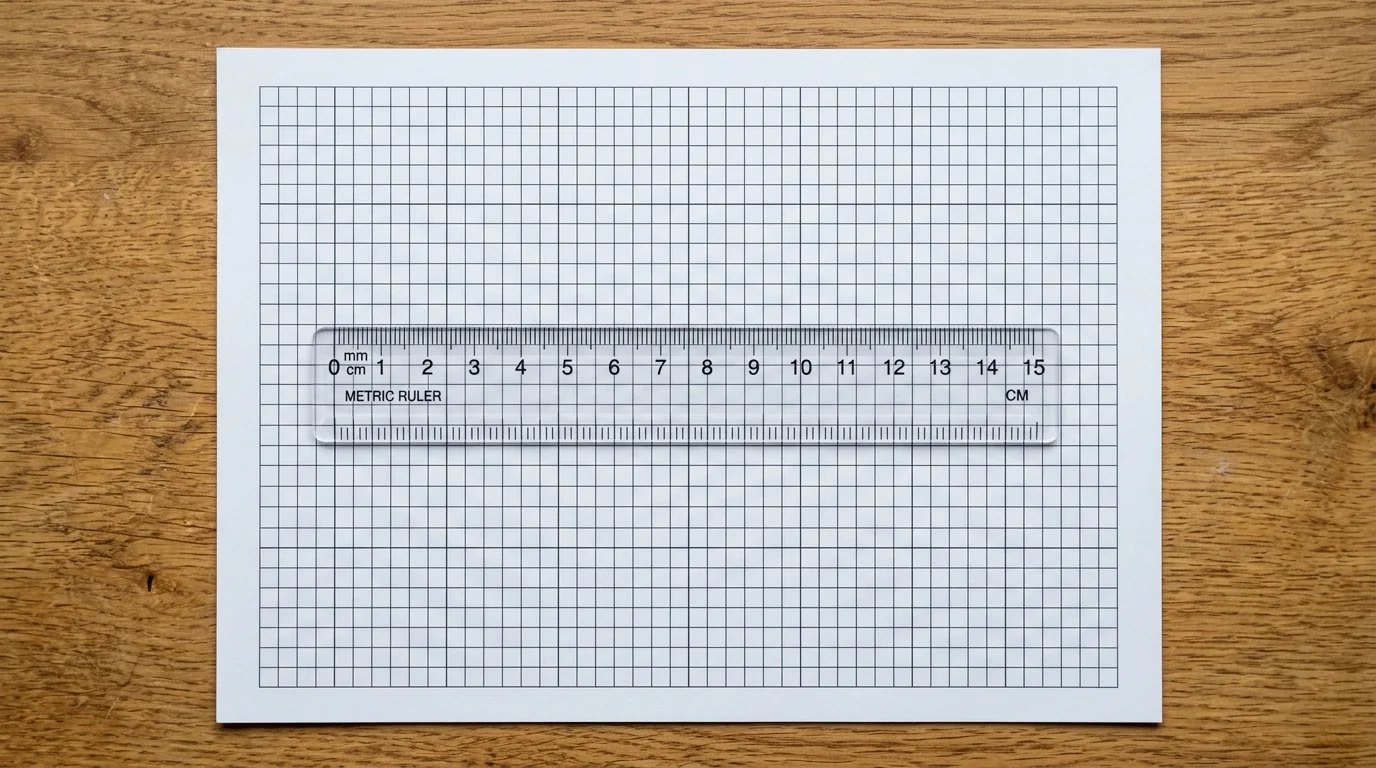
A 5 mm grid should measure 5 mm on paper, and four quarter-inch squares should measure exactly one inch. Because every sheet is drawn as vector geometry at true PostScript points and exported straight to PDF, printable paper from this tool holds its dimensions — no resampling, no blurry lines, no surprise 96% scale. Print one sheet, lay a ruler across ten squares, and the numbers match.
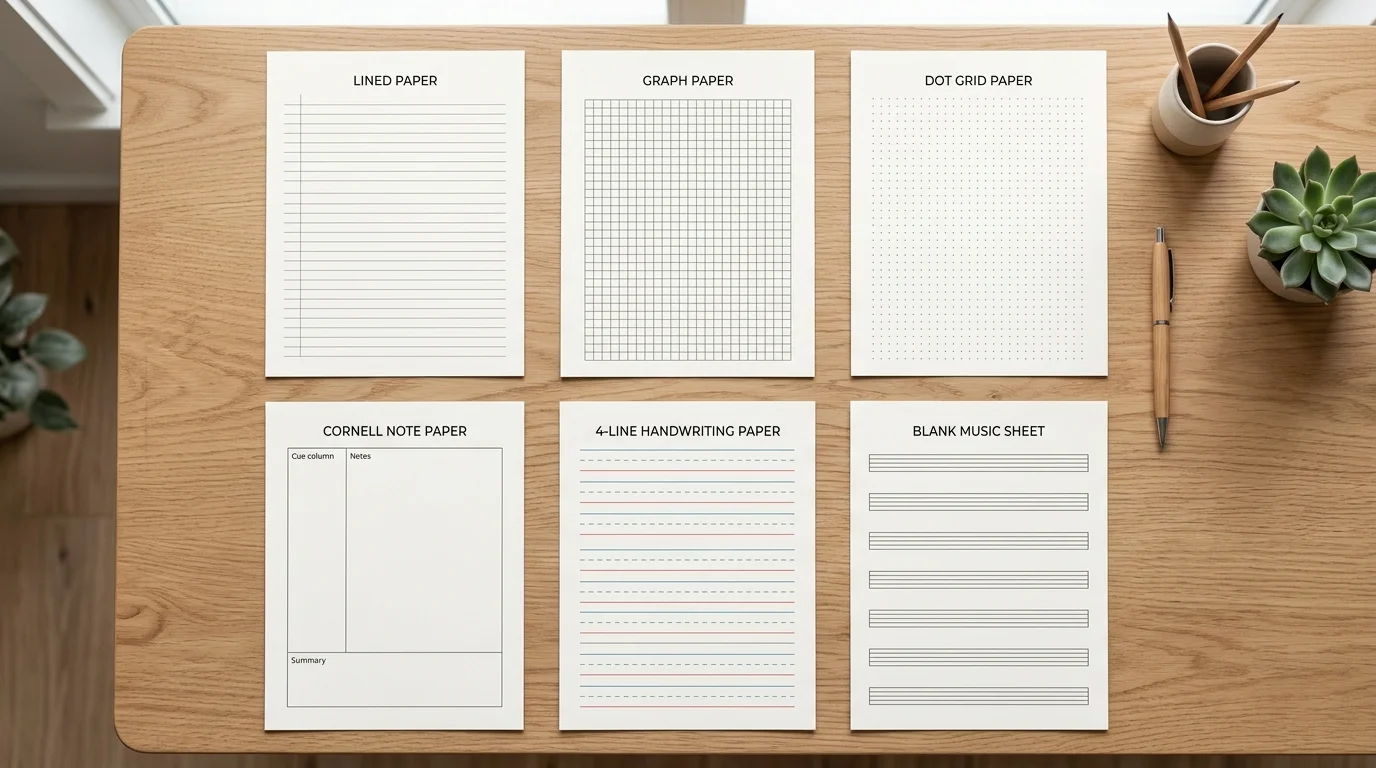
Switching from graph paper to Cornell notes should not mean learning a new tool. Paper size, margin, line colour, line weight and page count behave identically across all six printable paper types, so the sheet you print for maths class and the sheet you print for lecture notes share the same look. Set your house style once and it follows you from tab to tab.
Every control exists because a desk, a classroom or a drawing board needed it.
Download printable paper as a true vector PDF for razor-sharp lines at any printer resolution, or as a PNG when you need to drop the sheet into a slide, a worksheet or a tablet note-taking app.
Set the page count and one download gives you up to twenty identical sheets. Punch them, clip them, and you have a pad of printable paper without opening the print dialog twenty times.
Seven presets plus a full colour picker, with separate widths for fine and heavy lines. Pale grey vanishes under pencil, blue survives photocopying, and black scans cleanly.
Portrait or landscape, with an adjustable page margin. The grid is centred in the content area so you never get a half-width column of squares stranded at one edge.
Add a name and date rule for handing sheets out to a class, and type a title so a stack of printable paper does not turn into an anonymous pile on your desk.
The whole generator runs in your browser. No account, no email wall, no watermark stamped across your sheet, and nothing you type is ever sent to a server.
From an empty page to a stack of sheets in under a minute.
Lined for writing, graph for maths and drawing, dot grid for journalling, Cornell for lectures, handwriting for early writers, staff for music. The preview redraws the moment you switch.
Type spacing in millimetres or inches rather than picking small, medium or large. A 5 mm grid suits general maths, 1 mm suits technical drawing, and 7.1 mm college ruling matches a standard notebook.
Every number you enter is a real physical measurement, not a relative size.
Lighten the lines so your own writing dominates the page, widen the margin for a hole punch or binder, and add a name-and-date rule if the sheets are going out to a class.
Pale grey or sky blue lines almost disappear once you write over them in pen.
In your print dialog choose Actual size or 100% scale instead of Fit to page. Then measure a few squares against a ruler — that one check confirms your printable paper came out at true scale.
Read the printing guidePaper sizes, exact-scale printing, file formats and classroom use.
Yes. There is no account, no email wall, no watermark and no cap on how many sheets you make. Every printable paper template is generated in your browser and downloads straight to your device.
Download the PDF, open it, and in the print dialog set Scale to Actual size or 100% rather than Fit to page or Shrink to fit. Make sure the printer paper size matches the sheet you chose. Then measure ten squares with a ruler — if ten 5 mm squares span 50 mm, your printable paper is at true scale.
Six: lined paper, graph paper, dot grid paper, Cornell notes paper, three-line handwriting paper and blank music staff paper. Graph paper covers square, coordinate, isometric and dot grids.
Both, plus A5 and US Legal, in portrait or landscape. The layout recalculates for each size, so a sheet of A4 printable paper is not a Letter sheet with the edges cropped off.
Choose PDF for printing: it is vector, so lines stay crisp at any printer resolution and the page size is exact. Choose PNG when you want to place the sheet inside a document, a slide deck or a tablet note-taking app such as GoodNotes or Notability.
College ruled is 7.1 mm and suits most secondary and university note-taking. Wide ruled is 8.7 mm and suits younger writers or anyone with large handwriting. Narrow ruled is 6.35 mm and fits the most lines per page.
The generator always keeps about 4 mm of clearance because home inkjet and laser printers physically cannot print to the outer edge of the sheet. Without that reserve the outermost lines would simply be clipped off.
Yes. Raise the page count before you download and the PDF will contain up to twenty copies of the same sheet, which is the fastest way to make a pad of printable paper for a class or a sketchbook.
No. The header title you type, the colours you pick and the sheets you build are all processed locally by your browser. There is no upload step, so nothing you enter can reach our servers.
Yes — print and photocopy them freely for your students, colleagues or your own work. Reselling the generated PDFs, or packaging them into printable products for commercial resale, is not permitted.
Something not working as expected?
Pick a ruling, set the spacing in real millimetres, and print.
No account, no watermark, and your printable paper never leaves your browser.
Free • No sign-up • Vector PDF & PNG