Income rows
Record paychecks, side income, support and other money received with planned and actual columns.
Budget Planner Printable
Create a budget planner printable with income, fixed expenses, variable expenses, bills, savings, debt and a month-end review. Choose a currency symbol, starting month, paper size and standard or fillable PDF — free, with no sign-up.
Nothing is uploaded: your budget planner printable is generated locally in your browser.
Turn sections on or off, choose A4, US Letter or A5, then download a standard budget planner printable for handwriting or a fillable PDF for typing.
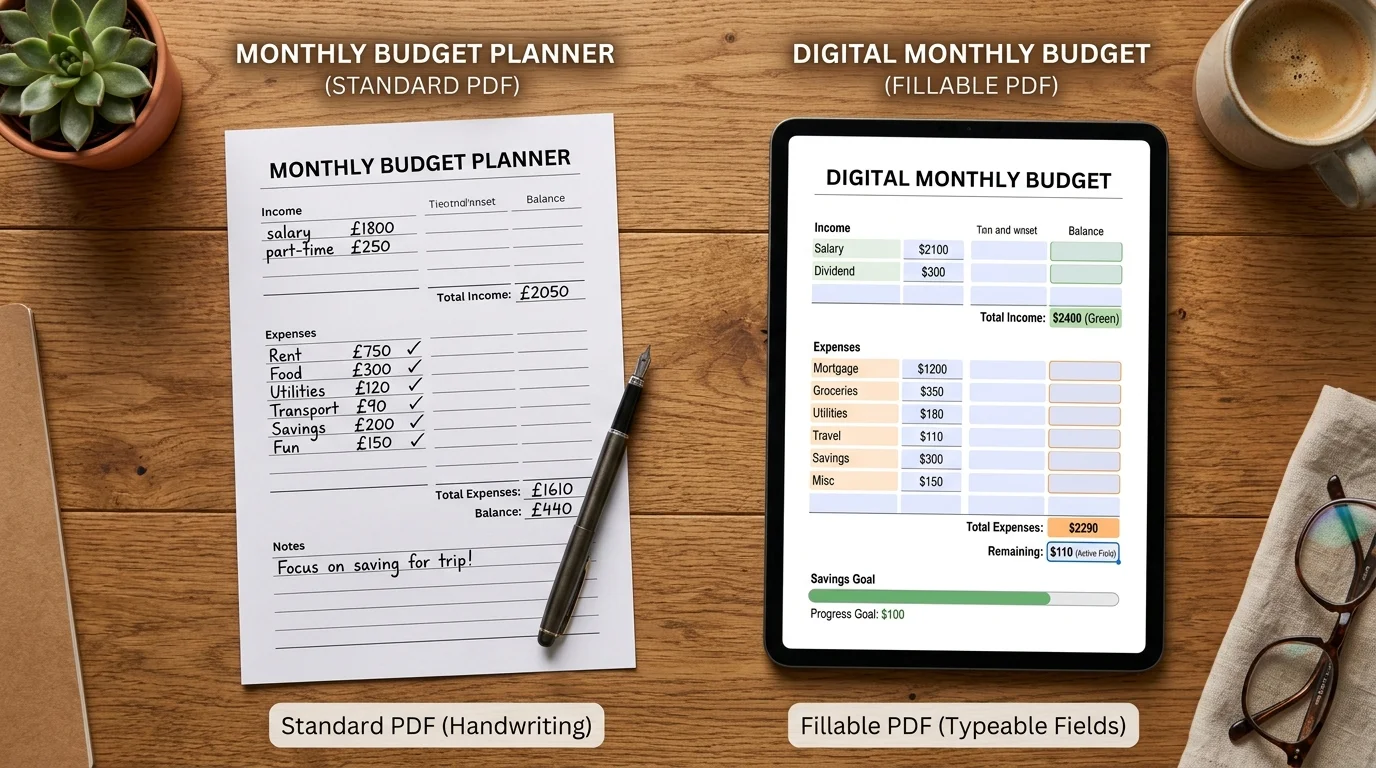
Standard PDFs have blank writing lines. Fillable PDFs add typeable form fields without sending entries to this website.
The template is rendered locally. Do not add account numbers or other details you do not need on a printable record. How to print at actual size (100%)
It adapts to your month and your record-keeping needs before you download it.
A household with no debt does not need a debt block, and a simple project budget may only need income and expenses. Switch each module on or off. The budget planner printable automatically distributes selected sections across one or two pages so the writing rows remain readable instead of squeezing everything into tiny boxes.
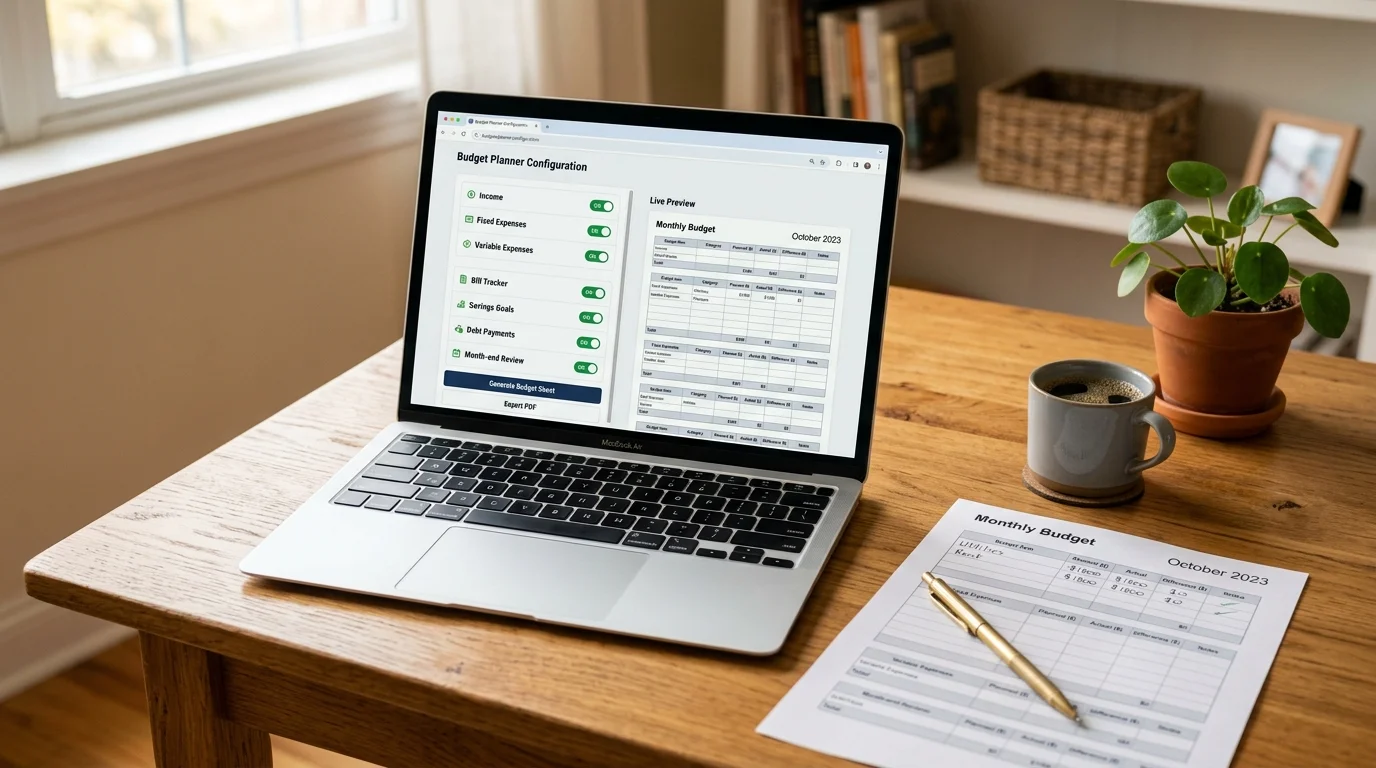
Choose Standard for clean blank lines you can write on, or Fillable for typeable PDF fields. Both versions use the same planned-versus-actual structure, currency label and monthly review. Generation stays inside your browser; the page never asks for a bank login or account number.
Every section supports planning, recording and reviewing — without telling you what your numbers should be.
Record paychecks, side income, support and other money received with planned and actual columns.
Separate recurring costs from categories that change month to month, then compare plan with actual.
Keep bill names, due dates and amounts together so the monthly budget has an actionable payment list.
Record planned and actual contributions or payments without projections, advice or payoff claims.
Note what matched, what differed, which bills carry forward and what you want to adjust next month.
Choose the paper that fits your printer or binder and decide whether to write by hand or type into form fields.
Four steps turn a blank monthly budget worksheet into a useful personal record.
Select the month shown in the header and a familiar currency symbol. The symbol is only a label; the budget planner printable does not convert exchange rates.
Set month and currencyUse income plus fixed and variable expenses for a basic budget. Add bills, savings, debt or review when those records are useful to you.
Choose modulesChoose Standard if you prefer handwriting. Choose Fillable if you want typeable form fields that can be completed in a compatible PDF reader.
Choose PDF formatCheck the live preview, download the PDF and use Actual size or 100% in the print dialog. Enter only the personal information you need.
Read printing guidePractical answers to common monthly budget worksheet searches.
Yes. It is free to customize and download, with no account, email wall, watermark or payment required.
A useful monthly record usually includes income, fixed expenses, variable expenses and a total or remaining balance. Bills, savings, debt and review sections are optional, so this generator lets you toggle them.
Planned is the amount you expect before or during the month. Actual is what was received, spent, saved or paid. The comparison is a record for review, not a recommendation.
Yes. Select Fillable before downloading. The PDF includes typeable form fields; use a PDF reader that supports AcroForm fields and save a copy after entering your figures.
Choose US Letter for many North American printers, A4 for the common international office size, or A5 for a smaller planner binder. The layout is rebuilt for each size.
Yes. Enable all three modules and the generator will place them across the document while preserving readable rows. With many modules selected, the result uses two pages.
No. The website generates the template in your browser and does not ask for your amounts. If you fill the downloaded PDF, the completed data stays wherever you save that file.
No. It is a neutral record-keeping template. It does not recommend spending levels, debt strategies, credit products, investments or tax treatment, and it makes no outcome promises.
Need another row or module?
Choose the month, currency, modules, paper size and PDF format.
Download a private personal record with no sign-up and no financial recommendations.
Free • Standard or fillable PDF • Not financial advice