Dated or undated month
Choose any real month for correctly placed dates, or use a blank six-week grid that can be labeled and reused whenever you need it.
Monthly Planner Printable
Build a monthly planner printable around the way you plan: choose a dated month or an undated six-week grid, start on Sunday or Monday, then add goals, tasks, bills, habits and notes. Download a clean print PDF or a fillable PDF you can type into.
Free, private and watermark-free — your monthly planner printable is created in your browser.
Every setting updates the preview immediately. Keep the complete planning dashboard or remove modules to give the calendar grid more room.
The fillable PDF includes typeable fields in every day and planning module. Save a copy after typing.
The planner and its form fields are built locally in your browser. No dates or entries are uploaded. How to print at actual size (100%)
A calendar records dates. A monthly planner printable connects those dates to outcomes, actions, money and routines.
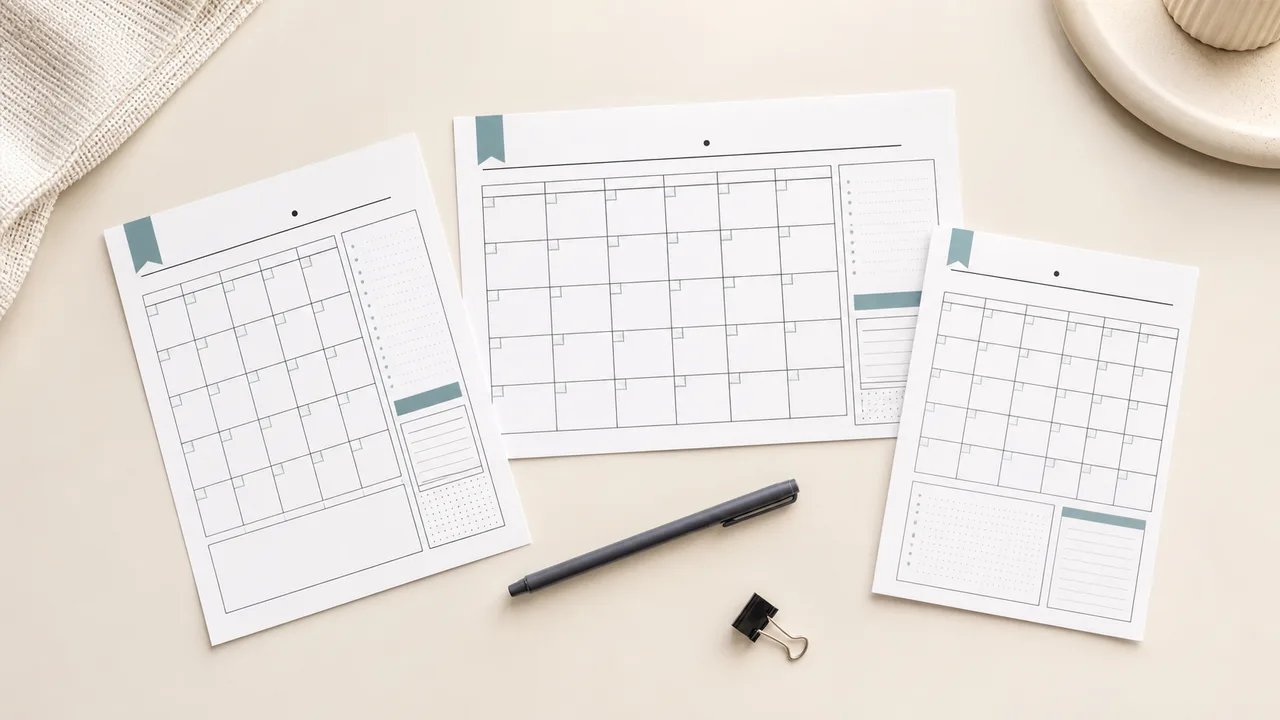
Switch between portrait and landscape or A4, US Letter and A5. The layout is recalculated rather than shrinking one fixed image: landscape puts planning modules beside the calendar, while portrait moves them below it. Remove any module and the dated or undated monthly planner printable gives the remaining areas more useful writing space.
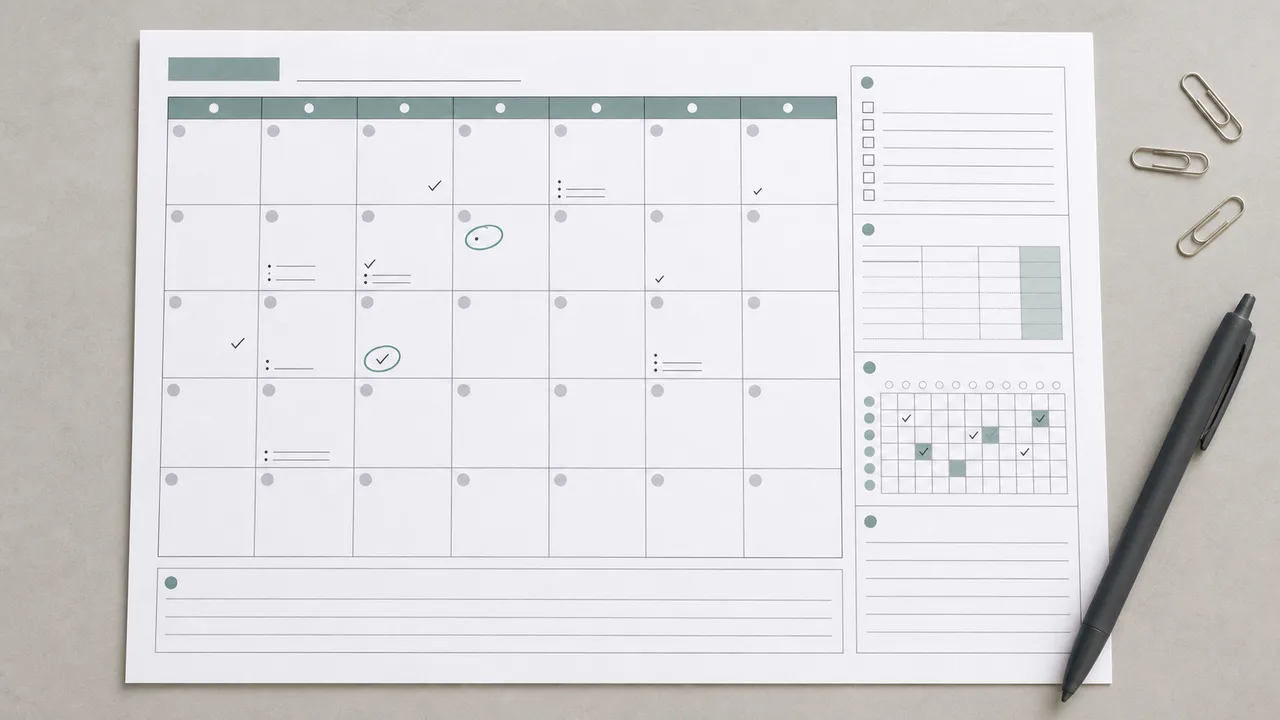
Use goals for the outcomes that matter, tasks for next actions, bills for due dates and payment checks, habits for daily consistency, and notes for context that does not belong on one date. Together, these sections turn a monthly planner printable into a working dashboard instead of another decorative calendar download.
Each control solves a practical choice people otherwise make by hunting through template bundles.
Choose any real month for correctly placed dates, or use a blank six-week grid that can be labeled and reused whenever you need it.
Sunday start suits many North American calendars; Monday start follows the workweek and ISO-style planning common in many other countries.
Keep outcomes separate from actions: goals say what success looks like, while the checklist holds the concrete work that moves the month forward.
A compact bill table keeps the name, due date and paid status next to the month where the payment belongs.
Track several routines across all 31 possible days. Short months simply leave the last columns unused, so one design works year-round.
Download an ink-friendly vector PDF for handwriting, or an interactive version with typeable day cells and module fields for desktop and tablet PDF apps.
Four quick decisions take you from a blank tool to a useful month plan.
Choose Specific month when you want dates placed automatically. Choose Undated when you want one monthly planner printable that can be reused for any month, project cycle or classroom unit.
Select Sunday or Monday, then keep only the goals, tasks, bills, habits and notes sections you expect to use. Fewer sections mean more space for each remaining section.
The preview rearranges modules automatically for portrait and landscape pages.
Use Letter for most US printers, A4 in most other regions, or A5 for a compact binder insert. Landscape maximizes date-cell width; portrait fits narrow binders and clipboards.
Test one sheet before printing several months, especially if your printer adds large hardware margins.
Choose Fillable PDF to enter plans on-screen, or Print PDF for a clean handwriting master. Print at Actual size or 100% so the monthly planner printable keeps its intended margins.
Read the printing guideAnswers based on the format, week-start, reuse and PDF questions people search before downloading.
Yes. There is no account, email wall, watermark or page limit. Configure the page, preview it, and download either PDF format for free.
A printable calendar focuses on correctly placed dates, holidays and calendar reference. This page adds goals, a task list, bill tracking, habits and notes, so it supports planning and review rather than date lookup alone.
Yes. Select Undated and the six-week grid leaves dates blank. The PDF can then be reused for any month, a 30-day challenge, a school unit or a project cycle.
Choose the convention that matches the calendars you already use. Sunday start is common in the United States, while Monday start groups the five-day workweek together and matches ISO-style calendars used widely elsewhere.
It contains standard AcroForm text fields, which work in many desktop and tablet PDF readers. App support varies, so test one field and save a copy before completing the entire month. Handwriting with a stylus depends on the annotation tools in your PDF app.
Yes. Keep both Bills & Due Dates and Habit Tracker selected. The bill table records what is due and whether it was paid; the 31-column grid tracks repeated actions without mixing financial information into daily calendar cells.
Use the size your printer and binder support. A4 is standard in most countries, Letter is standard in the US and Canada, and A5 is useful for compact planners. The generator rebuilds the layout for each size rather than scaling down a Letter page.
Landscape gives each day more horizontal writing room and places modules beside the calendar. Portrait works well in standard binders and puts modules below the grid. The live preview makes the tradeoff visible before download.
Choose the same paper size in the generator and printer dialog, then print at Actual size or 100% rather than Fill or Fit. If your printer cannot print near the edge, its driver may still add a small margin; print one test page first.
No. The vector page and interactive form fields are assembled locally in your browser. The fields are blank when downloaded, and anything you type later stays in the PDF file you save on your own device.
Need a monthly planning option that is not here?
Choose the month, week start, modules and paper format that fit your routine.
Download a handwriting-ready page or a fillable monthly planner printable in seconds.
Free • No sign-up • Fillable PDF • No watermark