Millimetre or inch spacing
Switch units and the value converts instead of resetting, so 5 mm becomes 0.2 in rather than a nonsensical five-inch grid. Anything from 1 mm engineering paper to a 25 mm planning grid is one slider away.
Graph Paper Generator
A graph paper generator for people who need the squares to be the right size. Set spacing in millimetres or inches, add heavier lines every few cells, pick your line colour and weight, and export A4 or Letter graph paper that prints at true scale.
Free, no sign-up, no watermark — vector PDF and PNG straight from your browser.
The preview is drawn to scale from the same geometry that goes into the PDF, so what you measure on screen is what you measure on paper.
Classic squared paper. Add a heavier line every few cells to keep long columns readable.
5 mm and 1/4 inch are the classroom standards; 1–2 mm gives engineering millimetre paper; 10 mm suits large-scale plans.
Your grid is drawn as vector geometry inside your browser. Nothing is uploaded and nothing is stored. How to print at actual size (100%)
Downloaded grid images are pictures of squares. This graph paper generator draws actual geometry from the numbers you type, then hands the same geometry to the PDF.
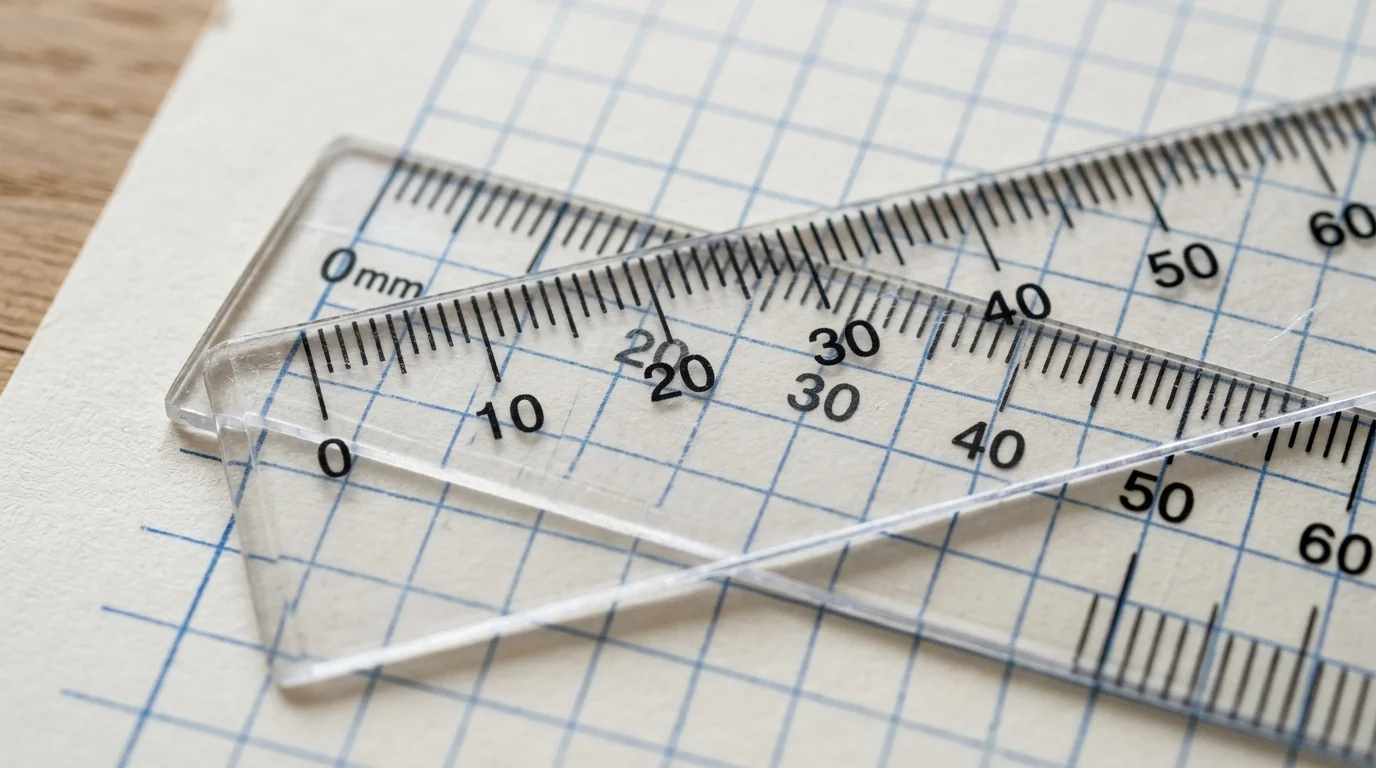
The whole point of graph paper is that a square is a unit of measurement. Every sheet from this graph paper generator is written into the PDF as vector line geometry at true PostScript points, so a 5 mm grid measures 5 mm and four quarter-inch cells measure exactly one inch. Print one page, lay a ruler over ten squares, and the reading matches the number you set — no resampling, no soft edges, no mystery 96% scaling.
Square grids for arithmetic and data tables, coordinate grids with numbered axes for plotting functions, isometric triangles for 3D sketching and product design, and dot grids when you want guidance without ink under your drawing. Spacing, colour, line weight and margins behave identically across all four, so switching grid type never means relearning the graph paper generator.
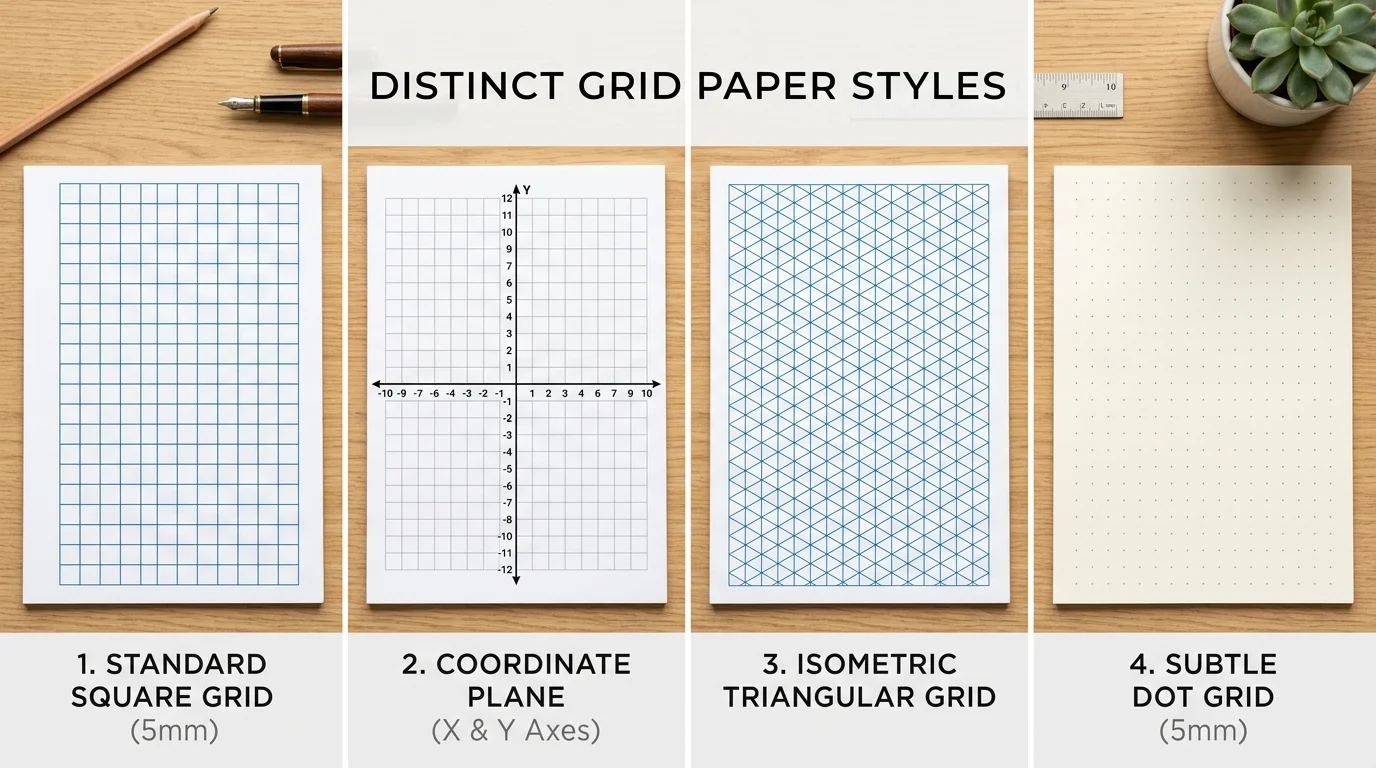
Everything a drawing board, a maths class or an engineering notebook actually asks for.
Switch units and the value converts instead of resetting, so 5 mm becomes 0.2 in rather than a nonsensical five-inch grid. Anything from 1 mm engineering paper to a 25 mm planning grid is one slider away.
Choose how often a bolder line appears — every 5 cells for classic 5 mm/1 cm paper, every 10 for millimetre paper, or never. Counting cells across a page stops being guesswork.
Add x and y axes in one or four quadrants and switch on tick numbers. Students get a plotting sheet with the origin already in the right place instead of drawing axes by hand.
The 60° families are computed from the grid side length, with optional verticals for full three-way isometric paper. Cubes drawn on it actually close up instead of drifting.
Seven presets plus a colour picker, with separate widths for fine and heavy lines. Pale grey hides under pencil, blue photocopies away, black scans hard and clean.
Export a razor-sharp vector PDF, a PNG for tablets and slides, or up to twenty identical pages in a single download when you need a whole pad of graph paper.
Four steps from a blank page to grid paper you can measure with a ruler.
Square for general work, coordinate when you need axes, isometric for 3D sketching, dot when the grid should stay out of the way of your drawing.
Type the real physical size of a cell. 5 mm suits general maths, 10 mm suits plans and layouts, 1–2 mm suits technical drawing, and 1/4 inch matches North American classroom paper.
Changing the unit converts your value rather than discarding it.
Lighten the grid so your pencil work stands out, thicken the accent lines so blocks of cells stay countable, and widen the margin if the sheets are going into a ring binder.
For photocopying, sky blue lines drop out almost completely and leave only your own marks.
Export the PDF and set your print dialog to Actual size or 100% scale, never Fit to page. Then check the result with a ruler across ten squares before printing the rest of the pad.
Read the printing guideGrid sizes, exact-scale printing, isometric paper and classroom use.
Yes, completely. There is no account, no email wall and no watermark, and you can generate and download as many sheets of graph paper as you like.
Download the PDF rather than printing the web page, then set Scale to Actual size or 100% in the print dialog instead of Fit to page. Confirm the printer paper size matches your chosen sheet, print one page, and measure across ten squares: ten 5 mm cells should span 50 mm.
5 mm is the general-purpose classroom standard and 1/4 inch is its North American equivalent. Use 1–2 mm for engineering and millimetre paper, 10 mm for plans, sewing layouts and garden design, and 20 mm or more for large diagrams and mind maps.
Yes. A4, US Letter, A5 and US Legal are all available in portrait or landscape, and the grid is recalculated for each size rather than cropped from a single master sheet.
Isometric paper replaces squares with a triangular grid of 60° lines, so you can draw three-dimensional objects with all three axes at true scale. It is the standard sheet for product sketching, technical illustration, tabletop map making and pixel-free perspective drawing.
Yes. Choose the coordinate grid, pick one or four quadrants, and switch on axis numbering. The tick labels follow the heavy-line interval, so a 5 mm grid with a heavier line every five cells is numbered every 25 mm.
PDF for printing — it is vector, so lines stay sharp at any resolution and the page size is exact. PNG when you want to import the grid into a document, a presentation, or a tablet app such as GoodNotes, Notability or OneNote.
Very fine lines below about 0.4 pt fall under the smallest dot most home printers can place, so the driver rounds them up. If a dense millimetre grid prints too dark, raise the line width slightly and lower the line darkness instead.
Yes. Raise the page count before downloading and the PDF will hold up to twenty identical sheets, which is far faster than opening the print dialog once per page.
Yes — print and photocopy them freely for classes, colleagues and your own projects. Reselling the generated PDFs or bundling them into commercial printable products is not permitted.
Something not working as expected?
Set the grid spacing in real millimetres or inches, choose your line colour, and download.
This graph paper generator runs entirely in your browser — no sign-up, no watermark.
Free • Vector PDF & PNG • A4, Letter, A5 & Legal