⠿1. Multiple choice
Free Worksheet Maker for Teachers
Free Worksheet Maker Build, review and print one useful worksheet
Use this worksheet maker to combine multiple choice, fill-in-the-blank, matching, sorting, word scramble, reading and open-response activities. Enter your own material or import an editable AI-assisted draft, confirm every answer, then download a student PDF with an optional answer key.
Free, no sign-up and no watermark. Drafts and saved templates stay in this browser.
Editable Worksheet Maker with Seven Activity Types
Add only the sections your lesson needs, drag them into order, check the student view and answer key, then export an A4 or Letter PDF.
Optional AI-assisted draft
Create a structured prompt for your preferred AI, then paste its JSON here. Nothing is sent from this worksheet maker automatically.
Add an activity block
⠿2. Fill in the blank
⠿3. Matching
Templates and the current draft are stored only in this browser. Clearing site data removes them.
Live worksheet preview
Plants and Pollinators Review
Science · Grade 4Name: __________________ Date: __________
Read each direction carefully. Show your thinking where space is provided.
1
Choose the best answer
Which part of a plant usually attracts pollinators?
- ○ Root
- ○ Stem
- ○ Flower
- ○ Seed
2
Complete the sentence
Pollen moves from one flower to another during __________.
3
Match each word to its meaning
Write the correct letter beside each term.
1. Bee — pollinator2. Nectar — sweet liquid3. Pollen — fine powder
Your worksheet content, AI draft and templates stay on this device. PDF generation happens in your browser.
Seven question types on one page, reviewed before class
Fast drafting matters, but classroom-ready material still needs clear directions, intentional question types and an answer key a teacher has checked.
Mix seven question types in one worksheet maker
A vocabulary review may need matching and word scramble; a reading check may need a passage, multiple choice and an open response. Add the useful blocks, edit every word and reorder them by dragging. The worksheet maker keeps the student page readable instead of forcing the whole lesson into one rigid template.

Review AI-assisted questions before the answer key
The AI helper never silently publishes a result. Imported questions stay editable and carry an AI-draft label. Each imported answer must be confirmed by the teacher before this worksheet maker exports an answer key. Then download A4 or US Letter PDF pages or print directly for class.
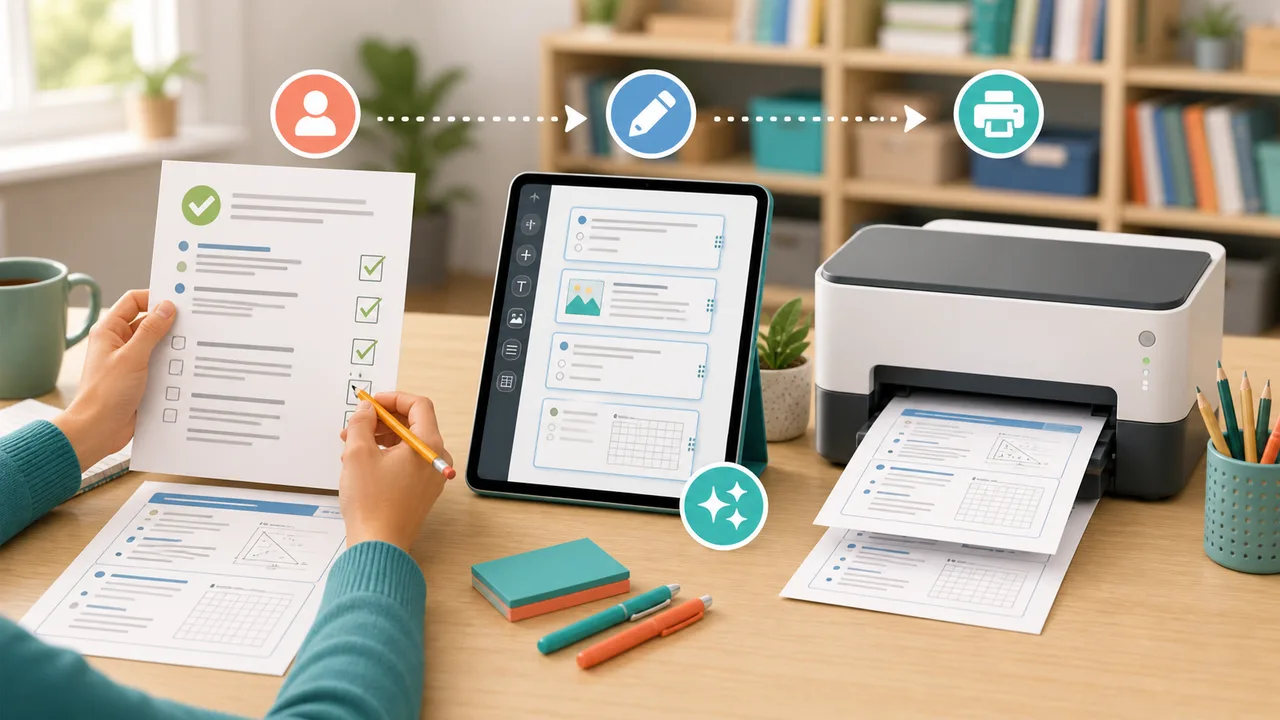
Drag to reorder, and an answer key generated alongside
The useful basics are present before decoration: editable content, mixed activities, answer control, reusable templates and clean output.
Seven editable activity types
Combine multiple choice, fill-in-the-blank, matching, sorting, word scramble, reading passages and open responses on one student page.
Drag-and-drop ordering
Move each section by dragging or use the accessible up and down controls when keyboard or touch input is easier.
Transparent AI assistance
Copy a structured prompt, import JSON and edit it. AI-assisted blocks remain labeled until a teacher checks and confirms each answer.
Automatic answer-key page
Student questions and teacher answers share the same numbering. Open responses can use a sample answer or a practical scoring note.
Local template saving
Save a useful worksheet maker setup in the browser, reopen it for another class and adjust the content without creating an account.
A4 and Letter PDF
Preview the worksheet, include or omit the answer key, then download a print-ready PDF or use the browser print dialog.
Verifying every answer before you export
A short review loop produces a better handout than generating a long page and printing it unseen.
01
Set the learning target
Give the worksheet a specific title, subject, grade and short directions. A narrow objective makes every later question easier to evaluate.
- Use one lesson objective per page
- Tell students whether to show work or write in sentences
02
Choose activity types deliberately
Use multiple choice for quick checks, fill-in-the-blank for recall, matching or sorting for relationships, and open response when students need to explain.
Reading passages work best when every question can be answered from the supplied text.
03
Edit and verify every answer
Whether you typed the material or imported an AI-assisted draft, check accuracy, reading level, ambiguous wording and the plausibility of each distractor.
An answer key saves time only after the teacher has verified it.
04
Preview, save and export
Check the student page and answer key, save the layout as a browser template, select A4 or US Letter, and download the PDF for printing.
Open the worksheet makerWhere the AI assistance ends and your review begins
Answers to common searches about free worksheet generators, editable activities, AI drafts, answer keys and printable PDFs.
Is this worksheet maker free for teachers?
Yes. The worksheet maker is free to use without an account or watermark. You can edit activities, save browser templates, print and download PDF files.
Can I make a worksheet with different question types?
Yes. One worksheet can mix multiple choice, fill-in-the-blank, matching, sorting, word scramble, a reading passage and open-response questions. Drag blocks into the order that matches your lesson.
Does the worksheet maker create an answer key?
Yes. Enter a correct answer or scoring note for each block and include a separately numbered answer-key page in the PDF. Open-response items can use a model answer or rubric note.
How does the AI worksheet helper work?
The helper creates a structured prompt you can use with your preferred AI. Paste the returned JSON to import editable blocks. Every imported item is labeled AI draft, and each answer requires teacher confirmation before answer-key export.
Can I save and reuse my worksheet template?
Yes. Save up to eight named templates in your current browser. They do not sync to another device, and clearing browser site data removes them, so download the final PDF for long-term storage.
Can I download an A4 or US Letter worksheet PDF?
Yes. Choose A4 or US Letter, decide whether the PDF should include the answer key, and select Download PDF. The file is generated locally in your browser.
What should teachers check in AI-generated questions?
Verify facts, curriculum fit, reading level, cultural context, ambiguous wording, distractor quality and every answer. Treat AI output as an editable first draft, not a verified assessment.
Something not working as expected?
Draft one and review it
Start with your own material or an AI-assisted draft.
Edit every activity, confirm the answers and export a clean worksheet PDF.
Free, private in your browser and designed for teacher review.