Print & cursive font styles
Choose clean manuscript print designed for beginning readers or joined school cursive. Both use open fonts, so there is nothing to buy and nothing to attribute.
Name Tracing Worksheet Generator
Create custom handwriting sheets with standard three-line guides for individual students or full class sets. 100% free.
100% free, no registration, no watermark, and your typed names never leave your browser.
Everything updates live. Paste a full class list to build an entire set with one page per child in a single PDF.
One name per line for a class set. Up to 60 names, 24 characters each.
Print uses Andika, a letterform designed for early readers. Cursive uses a joined school hand.
The height of lower-case x. Three-line guide lines rebuild automatically to match your exact size.
Names are rendered into a vector PDF directly inside your browser. Nothing is uploaded to any server. How to print at actual size (100%)
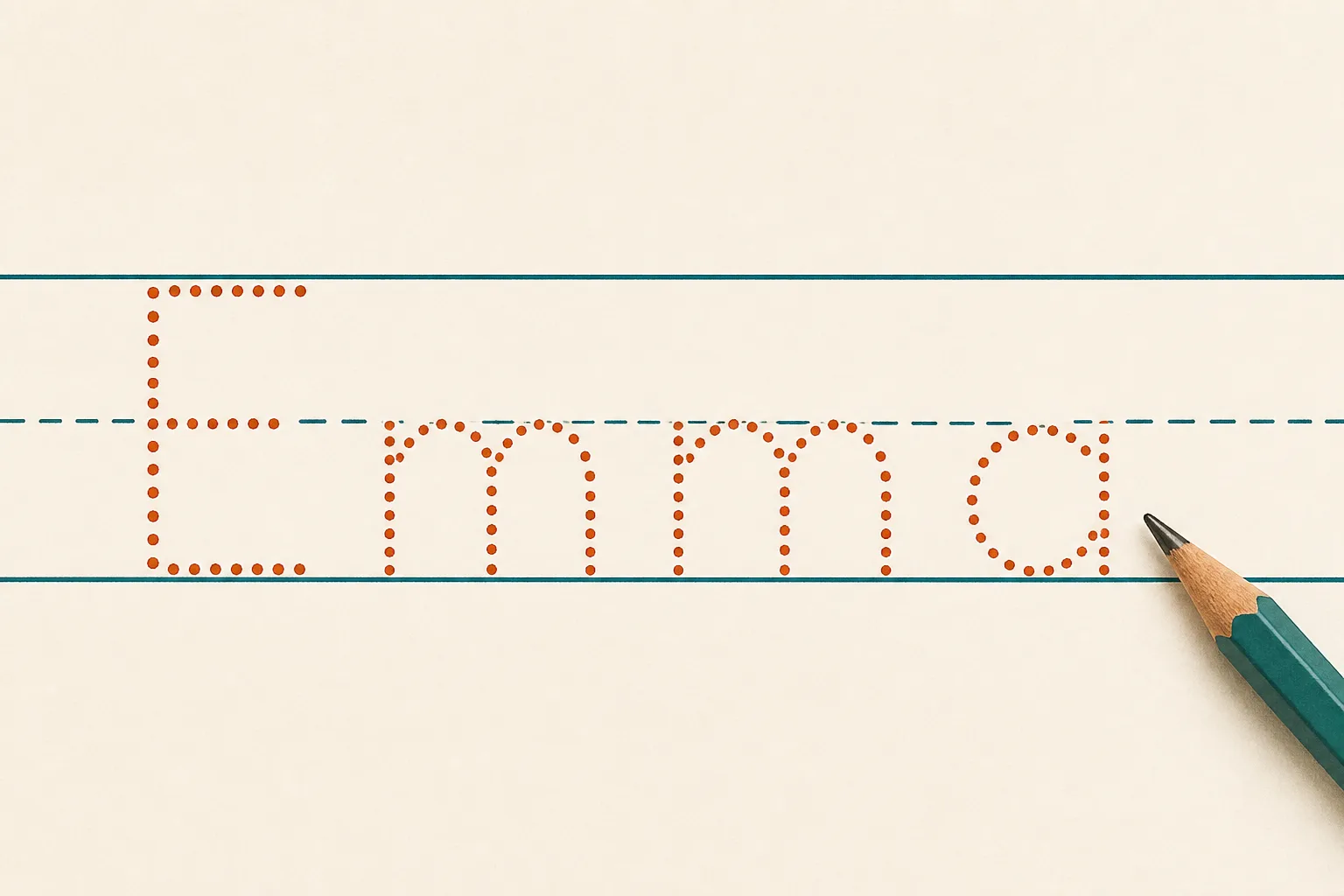
Most handwriting tools drop text onto a basic grid. Our name tracing worksheet generator measures real font geometry to build proper handwriting guides.
Most tracing pages drop letters onto a grid and hope for the best, causing ascenders to float and descenders to crash. Our three-line guides are calculated from the real measured outlines of the letters you picked—so the b reaches the top line, the x sits at the middle line, and the y tail has room. Switch from print to cursive and the whole row rebuilds automatically.
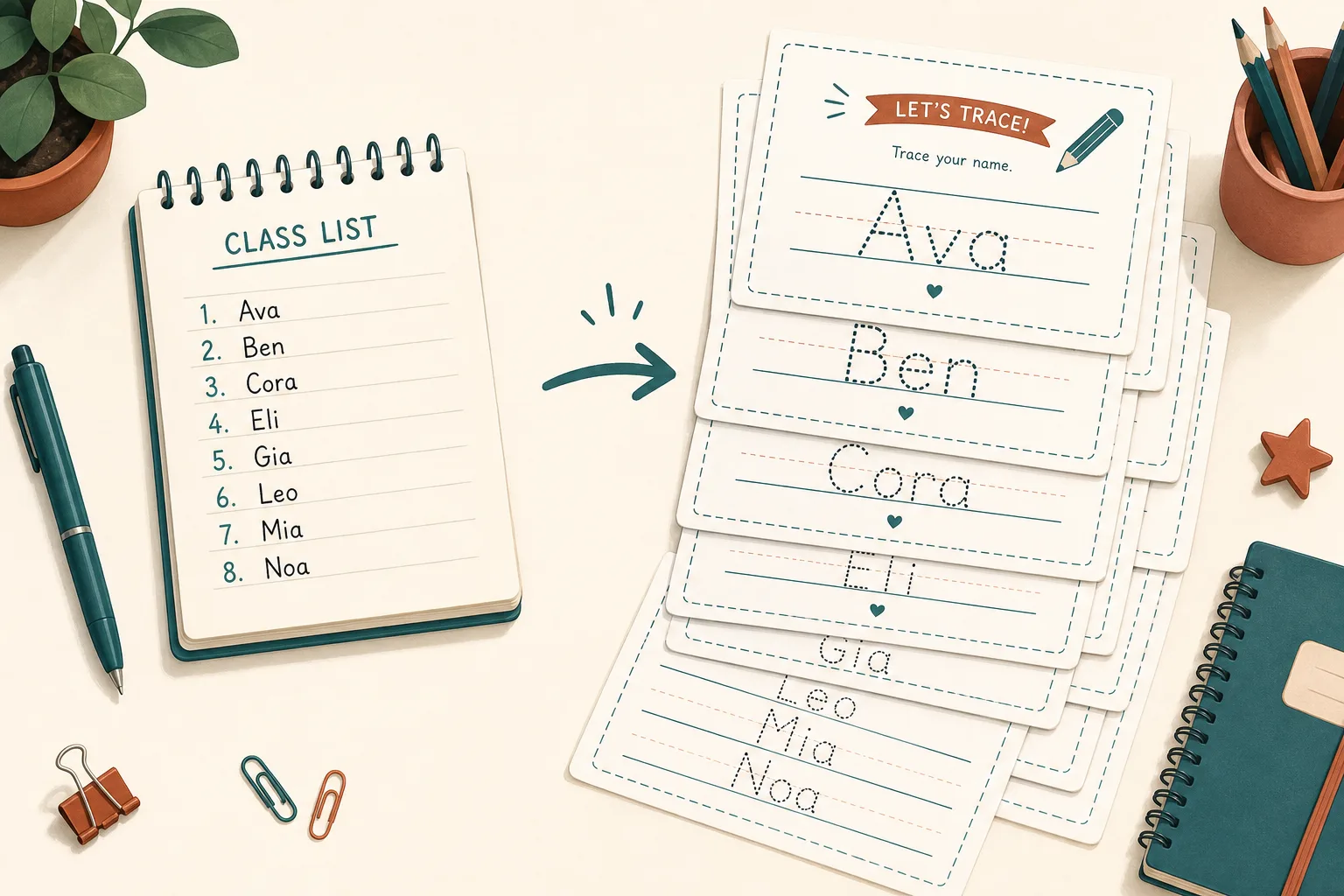
Making thirty personalized pages one at a time is why teachers give up on custom worksheets. With our name tracing worksheet generator, paste your class list with one name per line and you get a single PDF with one page per child, in the same style and at the same letter height. Print once, hand them out, and keep the file for next term.
Every feature exists because a real classroom or home table needed it.
Choose clean manuscript print designed for beginning readers or joined school cursive. Both use open fonts, so there is nothing to buy and nothing to attribute.
Dotted outlines for early writers, hollow outlines once they follow edges, and light grey solid letters when you want a smooth bridge to independent writing.
Set the x-height in millimeters rather than picking small, medium or large. Three-year-olds and six-year-olds need very different sizes, and guide lines adapt instantly.
Decide how many tracing rows appear, how many blank practice rows follow, and whether a solid model row sits at the top for letter recognition.
Instead of fixed font dots, our tool draws dots from vector outlines, allowing you to space them out for shaky hands or tighten them up.
A4 or US Letter, portrait or landscape, drawn as vector geometry. Print at 100% scale and the exact letter height you asked for is the height you measure on paper.
Four simple steps to create custom handwriting practice sheets.
Type one name for a single page. For a class set, paste your list with one name per line—the name tracing worksheet generator makes a page for each and combines them into one PDF.
Pick print or cursive to match what the child is taught in school. Then select dotted, outline, or light grey depending on how much guidance they still need.
Guide lines are recalculated whenever you change letter styles.
Start around 12–15 mm for preschool motor control and 8–10 mm for children writing on ruled paper. Change the number until the preview row looks comfortable.
Leave one or two blank rows at the bottom for independent practice.
Download the PDF, then in your print dialog choose Actual size or 100% scale instead of Fit to page, preserving your chosen letter dimensions.
Read printing guideCommon questions about pricing, privacy, font styles, and printing.
Yes, completely. There is no account, no email wall, no watermark, and no limit on how many worksheets you generate or how many names you put in a class list.
No. Our name tracing worksheet generator runs in your own browser. The PDF is rendered client-side, so names are never transmitted to any external server.
Yes. Put one name per line in the name box and the generator produces a single PDF with one personalized page per child. It handles up to 60 names in one batch.
As a starting point, 12–15 mm suits preschoolers learning pencil control, and 8–10 mm suits children already writing on ruled paper. The preview is drawn to scale for easy adjustments.
Dotted gives the most support for beginners. Outline shows a hollow letter to follow along the edges. Light grey is a faint solid letter offering the final step before unguided writing.
Yes. The cursive option uses a joined school hand. When switching, guide lines rebuild automatically because cursive descenders extend further below the baseline than print.
Accented Latin characters such as é, ñ and ü work. For Chinese characters, use our Hanzi Tracing Generator instead. Other non-Latin scripts are not supported because they require different guide lines.
The print dialog is scaling the page. Choose Actual size or 100% scale rather than Fit to page. Print a page and measure a lower-case x against a ruler to confirm exact sizing.
Yes. Print and photocopy them for your pupils freely. Selling generated PDF pages or packaging them into printable products for commercial resale is strictly prohibited.
Something not working as expected?
Type one name for a single page, or paste a class list for a whole set.
Our free name tracing worksheet generator takes ten seconds, and nothing leaves your browser.
Free • No sign-up • No watermark on PDF